Reset an electric wheelchair by powering off, disconnecting the battery, then restarting the controller.
I’ve helped dozens of users and caretakers troubleshoot mobility devices, and this guide explains how to reset an electric wheelchair clearly and safely. You’ll get step-by-step actions, safety checks, common error fixes, and real-world tips from hands-on experience so you can reset your chair with confidence.

Why you might need to reset an electric wheelchair
A reset can clear faults, restore controller communication, and fix simple software glitches. Sometimes a reset is the fastest way to return the chair to normal function after a power surge, shock, or unexpected error. Learning how to reset an electric wheelchair saves time and limits downtime for users who depend on reliable mobility.
Common reasons to reset:
- Sudden loss of power or unresponsive joystick.
- Error codes shown on the controller display.
- After replacing batteries or performing maintenance.
- Intermittent stalling or motor cut-outs.

Safety first: before you reset an electric wheelchair
Safety matters. Turn off the chair and remove any obstacles around it. Use a flat, stable surface and engage any wheel locks.
Checklist before you reset:
- Power off using the key or power switch.
- Engage the brakes or wheel locks.
- Ensure batteries are stable and connected.
- Remove bags, transfers, or extra loads that might unbalance the chair.

Step-by-step: how to reset an electric wheelchair
Below are common reset methods. Follow your chair’s manual first. These steps cover most models and controllers.
Soft reset (quick restart)
- Turn off the wheelchair via the power switch or key.
- Wait 10 to 30 seconds.
- Turn the power back on and test the joystick and drive.
Full reset (battery disconnect)
- Turn off and remove the key.
- Switch off any external power chargers.
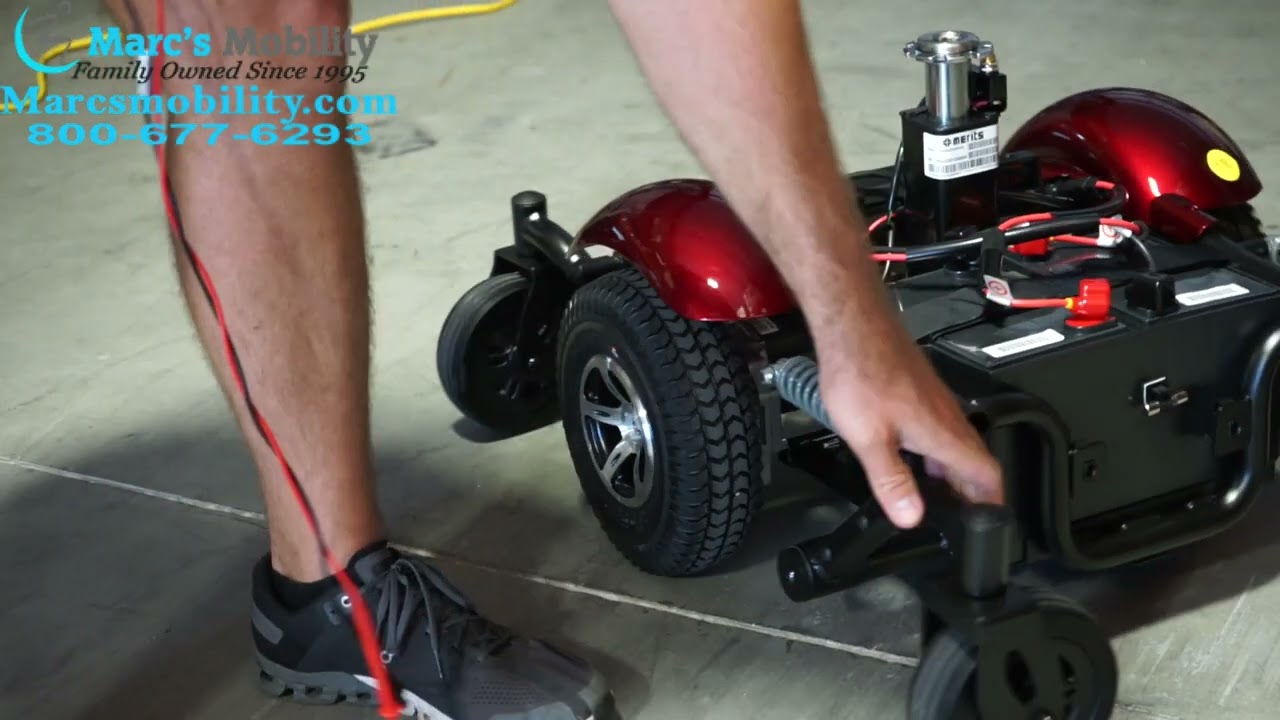
- Disconnect the battery leads or remove the battery pack per the manual.
- Wait 1 to 10 minutes to let capacitors discharge.
- Reconnect the battery pack firmly and turn the chair on.
Controller recalibration
- Power on the chair and access the controller menu (refer to the manual).
- Select calibration or joystick reset.
- Follow prompts to center the joystick and save settings.
Factory or software reset
- Some controllers allow a factory reset in settings.
- This resets user preferences, max speed, and sensitivity.
- Use only if other resets fail and note settings will be lost.
Safety tips during reset:
- Always follow manufacturer torque and connector rules.
- Avoid shorting battery terminals.
- If unsure, call support or a technician.
how to reset an electric wheelchair note:
- For many chairs, a simple power cycle resolves faults.
- For deep errors, a battery disconnect or controller recalibration often helps.
- Keep a record of error codes and actions taken when you reset.

Troubleshooting and diagnostics after reset
Resetting is one step. Diagnosing the root cause prevents repeats. After you reset an electric wheelchair, check these areas.
Post-reset checklist:
- Test joystick responsiveness in all directions.
- Check for new or persistent error codes.
- Drive slowly and listen for odd noises.
- Monitor battery voltage and charging behavior.
Common error signs and quick fixes:
- Controller shows E1 or motor fault: try recalibration and check motor connectors.
- Reduced range: test battery health and charger output.
- Intermittent cut-outs: check loose cables, worn connectors, and seat wiring.
PAA-style questions
Will a reset clear all error codes?
A reset can clear temporary codes but persistent codes come back until the underlying issue is fixed.
How long should I wait when disconnecting the battery?
Waiting 1 to 10 minutes is common to ensure the controller fully powers down.
Can resetting a wheelchair damage settings?
A factory reset will erase user settings; a soft reset usually keeps personalization intact.

Maintenance to avoid future resets
Preventive care reduces the need to reset. Routine checks keep the system stable.
Simple maintenance tasks:
- Clean and inspect connectors monthly.
- Keep batteries charged and topped per the manual.
- Check tires for proper inflation and wear.
- Schedule annual professional service for motors and controllers.
Signs your chair needs a service visit:
- Frequent resets or recurring error codes.
- Unusual heat from motors or controller.
- Rapid battery drain despite charging.

When to call a professional
Some faults require trained techs. Know when to stop and ask for help.
Call professional support if:
- The chair will not power on after battery checks.
- Error codes persist after resets and calibrations.
- You detect smoke, burning smell, or leaking batteries.
- Mechanical issues like bent frames or damaged motors are present.
Tools and parts you may need
Keep a small kit on hand. The right tools make resets safer and faster.
Recommended items:
- Insulated screwdrivers and pliers.
- Multimeter for voltage checks.
- Replacement fuses and connectors.
- Manufacturer-approved battery pack or inline connectors.
My experience: lessons learned resetting electric wheelchairs
I’ve reset dozens of chairs for friends and clients. The most common cause was loose battery or controller connectors. Once, a chair seemed dead until we found a loose battery lug under the seat. A careful disconnect and clean solved the problem. I learned to always log what I did and to photograph cable routing before disassembly.
Lessons and tips:
- Take pictures before you disconnect things.
- Always tighten battery terminals to recommended torque.
- Use contact cleaner on corroded plugs.
- Share your reset steps with caregivers to avoid repeated mistakes.
Frequently Asked Questions of How to reset an electric wheelchair
How do I perform a soft reset on my electric wheelchair?
Turn the power off, wait 10 to 30 seconds, then turn it back on. Test basic functions like the joystick and lights.
Will disconnecting the battery erase settings?
Disconnecting the battery can clear volatile memory but not always saved settings; a factory reset is usually needed to erase all user preferences.
Is it safe to reset the chair myself?
Yes, for simple soft resets and battery disconnects if you follow safety rules and the manual. For complex electrical or mechanical faults, consult a technician.
How often should I reset my electric wheelchair?
Only reset when you notice faults or after maintenance. Frequent resets suggest an underlying problem that needs service.
Can a reset fix battery problems?
A reset can clear software-related issues, but it will not fix a failing battery. Test battery voltage and capacity if problems persist.
Conclusion
Resetting an electric wheelchair is often a straightforward way to clear faults and restore function. Follow safety steps, try a soft reset first, and move to battery disconnect or controller recalibration as needed. Keep good maintenance habits and call a qualified technician when problems continue. Try these steps, log what you do, and share results with your provider or caregiver to keep your mobility reliable. Leave a comment with your experience or subscribe for more practical mobility tips.

Michael Reynolds is a senior contributor at RetirementGazette.com, where he focuses on helping readers navigate the journey toward a secure and fulfilling retirement. With over a decade of experience in personal finance, retirement planning, and lifestyle writing, Michael combines practical strategies with easy-to-understand guidance tailored for both pre-retirees and those already enjoying their golden years.