Eligible seniors can get a free or discounted phone through Lifeline, Medicaid, SNAP, SSI, or other qualifying programs.
Learning how to get free phone for senior citizens can make daily life safer and less lonely. A phone helps with doctor visits, family calls, emergency services, and online health tools. The key is knowing which government benefit programs accept seniors and how to avoid confusing offers or hidden fees.
How Free Phone Programs for Seniors Work
The main federal program is Lifeline. It helps eligible low income households reduce the cost of phone or internet service. Some participating companies offer a free smartphone, while others provide a free basic phone, monthly data, talk, and text.
A senior does not usually qualify just because of age. Eligibility is based on income or enrollment in certain government programs. However, many older adults qualify because they receive SSI, Medicaid, SNAP, Veterans Pension, or another public benefit.
The exact phone and service depend on:
• The provider available in your state
• The plan selected
• Current inventory
• Whether you qualify for phone, internet, or both
• Whether you live on qualifying Tribal lands
Lifeline usually provides a monthly discount of up to $9.25. The discount can be higher on qualifying Tribal lands. A provider may use this discount to cover a basic plan and phone, but offers vary by location.
Who Qualifies for a Free Phone for Senior Citizens?
Most free phone programs for seniors use two basic tests. You may qualify through household income, or you may qualify because you receive benefits from an approved program.
A household generally means everyone who shares income and expenses. It does not always mean everyone who lives at the same address. For example, two unrelated roommates may be separate households if they do not share financial support.
Qualifying government programs
You may qualify if you or someone in your household receives one of these benefits:
• Medicaid
• Supplemental Security Income, also called SSI
• Supplemental Nutrition Assistance Program, also called SNAP or food stamps
• Federal Public Housing Assistance or Section 8
• Veterans Pension
• Veterans Survivors Pension
• Certain Tribal assistance programs
• Other programs approved under Lifeline rules
A senior who receives Medicare alone may not qualify. Medicare and Medicaid are different programs. Medicaid may qualify you, but Medicare by itself usually does not.
Income-based eligibility
You may also qualify if your household income is at or below the federal Lifeline limit. The limit is commonly set at 135% of the federal poverty guidelines. The amount changes by household size and may change each year.
For example, a one-person household has a lower income limit than a four-person household. Use the current eligibility chart on the official Lifeline application website or ask a participating provider to check the current amount.
How to Get a Free Phone for Senior Citizens Step by Step
The application process is usually simple, but small errors can cause delays. Follow these steps to make the process smoother.
1. Check your eligibility
Start with your benefit letter, account notice, or income information. Confirm that your name appears on the document and that the benefit is current.
If you receive Medicaid, SNAP, SSI, or Veterans Pension, you may already have a clear path to approval. If you are unsure, use the official Lifeline National Verifier or contact a participating provider.
2. Gather your documents
You may need:
• A government issued photo ID
• Proof of address
• Proof of income
• A benefit approval letter
• A Social Security number or Tribal identification number
• Proof of participation in a qualifying program
The document must usually show your name and current information. A blurry photo, an expired letter, or a document with a different address can slow the review.
3. Apply through the official process
You can apply online, by mail, or with help from a participating phone company. Some community groups and senior centers also help people complete applications.
Be careful with websites that ask for payment before reviewing your application. A legitimate Lifeline application should not require a large enrollment fee.
4. Choose a participating provider
After approval, compare available companies in your area. Ask what the plan includes before accepting the phone.
Important questions include:
• Is the phone free, discounted, or financed?
• How much monthly data is included?
• Are talk and text unlimited?
• Does service renew every month?
• What happens if I use all the data?
• Is there a shipping fee?
• Can I keep my current phone number?
5. Activate the phone
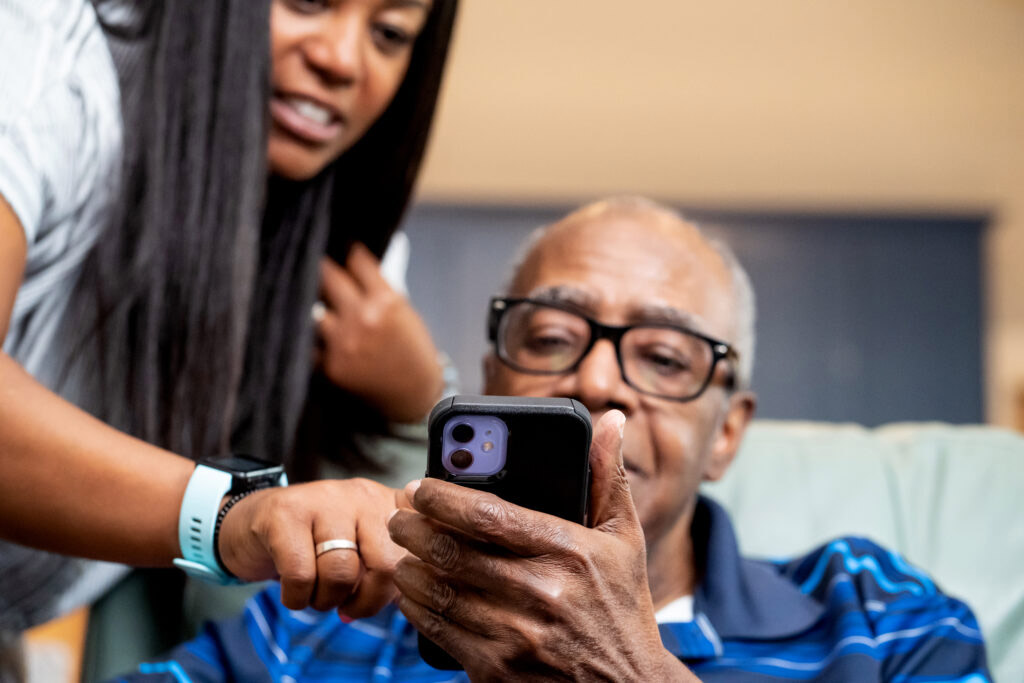
Follow the instructions in the box or ask a family member, caregiver, or provider representative for help. Keep the packaging until the phone works.
Test these features before throwing anything away:
• Make an outgoing call
• Receive a call
• Send a text
• Check voicemail
• Open the emergency contact list
• Connect to Wi-Fi
• Confirm mobile data works
This process is one of the most reliable ways to learn how to get free phone for senior citizens without falling for unclear advertisements.
Best Programs That May Offer Free Phones
Several companies participate in Lifeline. Availability, phone models, and plan terms differ by state. A company that serves one ZIP code may not serve another.
Lifeline providers
Many Lifeline providers offer a low-cost or free smartphone with monthly service. Common services may include talk, text, and data. Some companies advertise a free phone, but the offer may depend on stock and eligibility.
Before enrolling, read the terms for:
• Data limits
• Hotspot access
• International calling
• Phone replacement rules
• Account renewal requirements
• Taxes or optional charges
Some providers may require you to use the service regularly. Others may ask you to recertify your eligibility each year. Missing a notice can lead to loss of service.
State and local programs
Some states, counties, tribes, and nonprofit groups provide phones to older adults. These programs may focus on safety, fall response, transportation, or medical access.
Ask at:
• Your local Area Agency on Aging
• A senior center
• A Medicaid office
• A public housing office
• A Veterans Affairs office
• A library or community action agency
• A domestic violence or elder safety organization
Local programs may have rules that differ from Lifeline. Some provide emergency phones only. Others offer a regular mobile plan.
Emergency response programs
A senior may receive a phone through a medical alert company or community safety program. These phones may have a large emergency button, GPS, fall detection, or direct access to a response center.
This type of phone is not always a regular smartphone. It may also have a monthly monitoring charge. Ask whether the service is free, discounted, or covered by another benefit.

What Documents Do Seniors Need?
Good paperwork can make the application much easier. The goal is to prove identity, address, income, or participation in a qualifying program.
Common proof includes:
• A driver’s license or state ID
• A passport or permanent resident document
• A Social Security statement
• A tax return
• Three recent pay stubs
• A pension statement
• A Social Security benefit letter
• A Medicaid approval letter
• A SNAP benefit notice
• A Veterans Pension statement
• A Tribal identification document
Use the exact legal name shown on your application. If your name changed, you may need a marriage certificate, court document, or other proof.
Never send original documents unless an official agency specifically requests them. Make copies or use clear scans. Also, cover unnecessary private details when a program does not need them.

How to Avoid Free Phone Scams
Free phone offers can help seniors, but scammers also use this topic to collect personal information. A safe application should feel clear, not rushed.
Watch for warning signs such as:
• A demand for a large upfront payment
• A request for your bank password
• Pressure to share a one-time security code
• Claims that every senior automatically qualifies
• Promises of expensive phones with no rules
• A request to send cash or gift cards
• A website with spelling errors and no privacy policy
• A caller who refuses to identify the provider
Never share your Social Security number with an unknown caller. Instead, find the provider through an official government directory or call the company using a number from its verified website.
A useful rule is simple: pause before you click. Ask a trusted family member, benefits counselor, or librarian to review the offer. Many scams look like a real government notice, much like a costume that seems official until you check the details.

Common Problems and How to Fix Them
Applications may be denied for several reasons. A denial does not always mean you are permanently ineligible.
Duplicate household enrollment
Lifeline generally allows only one benefit per household. A household cannot receive separate Lifeline discounts from several companies for each family member.
If another person at your address already receives Lifeline, you may need to complete a household worksheet. This form explains whether you are one household or separate households.
Missing or outdated documents
A provider may reject a document that does not show a date, full name, or current address. Submit a clearer document and check that every detail matches your application.
Recertification problems
The program may ask you to confirm eligibility each year. Read letters and emails carefully. Respond before the deadline, even if your income or benefits have not changed.
Service interruption
Service can stop if you do not use the phone, fail to renew eligibility, or switch providers incorrectly. Contact the provider quickly. Ask whether your benefit is active and whether your number can be restored.
Poor coverage
A free phone is only useful if it works where you live. Check the provider’s coverage map, especially if you live in a rural area, apartment building, or mountainous region.
Tips for Choosing the Best Phone
The most expensive phone is not always the best phone for an older adult. A good senior phone should be easy to see, hear, hold, and charge.
Look for:
• A bright screen with adjustable text size
• Loud speakers and clear call sound
• A simple menu
• Long battery life
• A strong case
• An emergency contact feature
• Hearing aid compatibility
• Easy access to voicemail
• A charging port that is easy to use
Some seniors prefer a flip phone because it has large buttons and fewer distractions. Others need a smartphone for video calls, telehealth, maps, and prescription apps.
Ask the provider whether the phone supports current network technology. Older 3G phones may not work because major carriers have shut down 3G networks. A 4G LTE or compatible newer phone is usually a safer choice.
How Caregivers Can Help
A caregiver can make the process less stressful without taking control away from the senior. Start by explaining each step in plain language.
A caregiver can help by:
• Organizing documents
• Comparing providers
• Checking coverage
• Setting up contacts
• Turning on larger text
• Teaching basic safety rules
• Adding the doctor, family, and emergency contacts
• Writing down the PIN in a safe place
Do not apply in someone else’s name without permission. The eligible person should understand the application and agree to the service. If a legal representative is involved, ask the provider what authorization documents are required.
After setup, practice a few real tasks. Have the senior call a family member, check voicemail, and send a text. Repetition builds confidence.
Important Limits of Free Senior Phone Programs
A free phone program can reduce costs, but it may not cover everything. Plans can have limited data, basic phone models, or restricted features.
Possible limits include:
• One benefit per household
• Limited provider choices
• Limited monthly data
• No guarantee of a specific phone model
• Coverage that varies by location
• Annual eligibility checks
• Replacement fees for lost or damaged phones
• Service cancellation after long periods of nonuse
The Affordable Connectivity Program, or ACP, ended on June 1, 2024, after funding ran out. Be cautious of websites that still promise a current ACP free phone benefit. Lifeline remains a separate program, but its rules and offers can change.
Practical Advice From Helping Families Apply
A common mistake is choosing the first offer that says “free.” The phone may be free, but the plan may have low data, weak coverage, or a difficult renewal process. Compare the service details, not just the phone picture.
Another lesson is to set up the phone before an urgent need arises. Add emergency contacts, charge the battery, and place the phone where it can be reached from a bed or chair. A phone is like a spare key: it helps most when it is ready before trouble starts.
Keep every approval notice and provider message in one folder. If service stops, these records can help prove enrollment and speed up support.
Frequently Asked Questions About How to Get Free Phone for Senior Citizens
Can seniors get a free phone just because they are over 65?
Usually, no. Age alone does not qualify someone for Lifeline, but many seniors qualify through income or programs such as Medicaid, SSI, SNAP, or Veterans Pension.
What is the best government program for a free senior phone?
Lifeline is the main federal program for discounted phone service. Some approved providers use the benefit to offer a free phone, but the phone and plan depend on the provider and location.
Can a senior on Social Security qualify for a free phone?
Social Security retirement benefits alone do not automatically qualify a person. A senior may qualify if household income is within the Lifeline limit or if they receive a separate qualifying benefit, such as SSI.
Can a senior on Medicare get a free phone?
Medicare alone generally does not qualify a person for Lifeline. However, someone on Medicare may also receive Medicaid, SSI, SNAP, or another benefit that does qualify.
Can two people in one home receive free phones?
Usually, only one Lifeline benefit is allowed per household. If two adults share an address but do not share income and expenses, they may be separate households and may need to complete additional paperwork.
Do free senior phones include unlimited data?
Not always. Some plans include a set amount of data, while others offer unlimited talk and text with limited data. Review the plan terms before enrolling.
Can a senior keep an existing phone number?
Many providers allow number transfers, but this is not guaranteed. Do not cancel your current service until the new provider confirms that the number transfer is complete.
Conclusion
Getting a free phone for senior citizens usually starts with Lifeline eligibility, proof of income or benefits, and a careful comparison of providers. Seniors may qualify through Medicaid, SSI, SNAP, Veterans Pension, Tribal programs, or household income rather than age alone.
Gather clear documents, use official application channels, check coverage, and confirm the phone’s monthly rules. If you are helping a parent or grandparent, take the process one step at a time and set up emergency contacts before the phone is needed.
Start by checking Lifeline eligibility or contacting a local senior center today. Then compare available plans and choose a phone that supports safety, independence, and everyday connection.

Michael Reynolds is a senior contributor at RetirementGazette.com, where he focuses on helping readers navigate the journey toward a secure and fulfilling retirement. With over a decade of experience in personal finance, retirement planning, and lifestyle writing, Michael combines practical strategies with easy-to-understand guidance tailored for both pre-retirees and those already enjoying their golden years.